Progress Key
The Progress Key block displays the stages or statuses of a process as a sequence of colored chevrons. Each state can be renamed, reordered, assigned a custom color, or removed. Related states can also be organized under labeled phase brackets.
The block automatically adapts its layout for smaller screens and warns editors when selected colors do not provide sufficient text contrast. It is intended as a visual key or legend and does not track or update progress automatically.
Editor Options
The Progress Key block provides the following editor options:
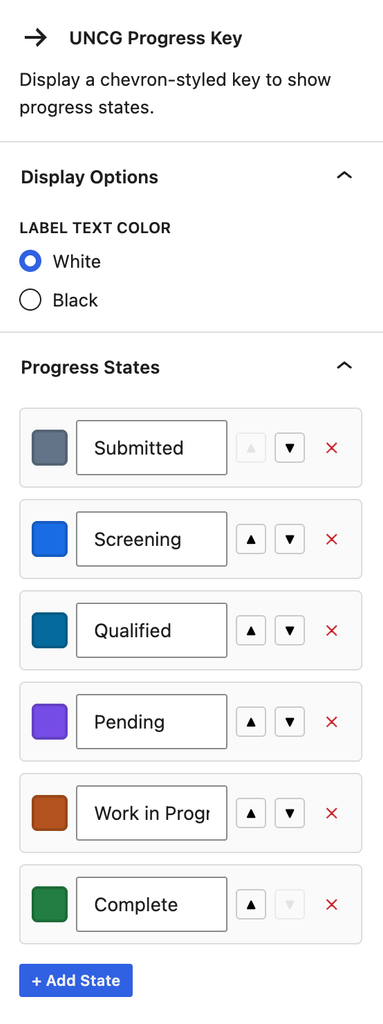
- Label text color: Choose black or white text for all progress states.
- Progress states: Edit each state’s label and background color. States can be reordered, removed, or added using the Add State button.
- Contrast warnings: A warning appears when a state’s background color does not provide sufficient contrast with the selected label color.
- Phase brackets: Add an optional labeled bracket that groups a range of states. Choose the bracket’s starting and ending states, edit its label, or remove it with the Remove Bracket button.